Fresh stock, out the
door fast
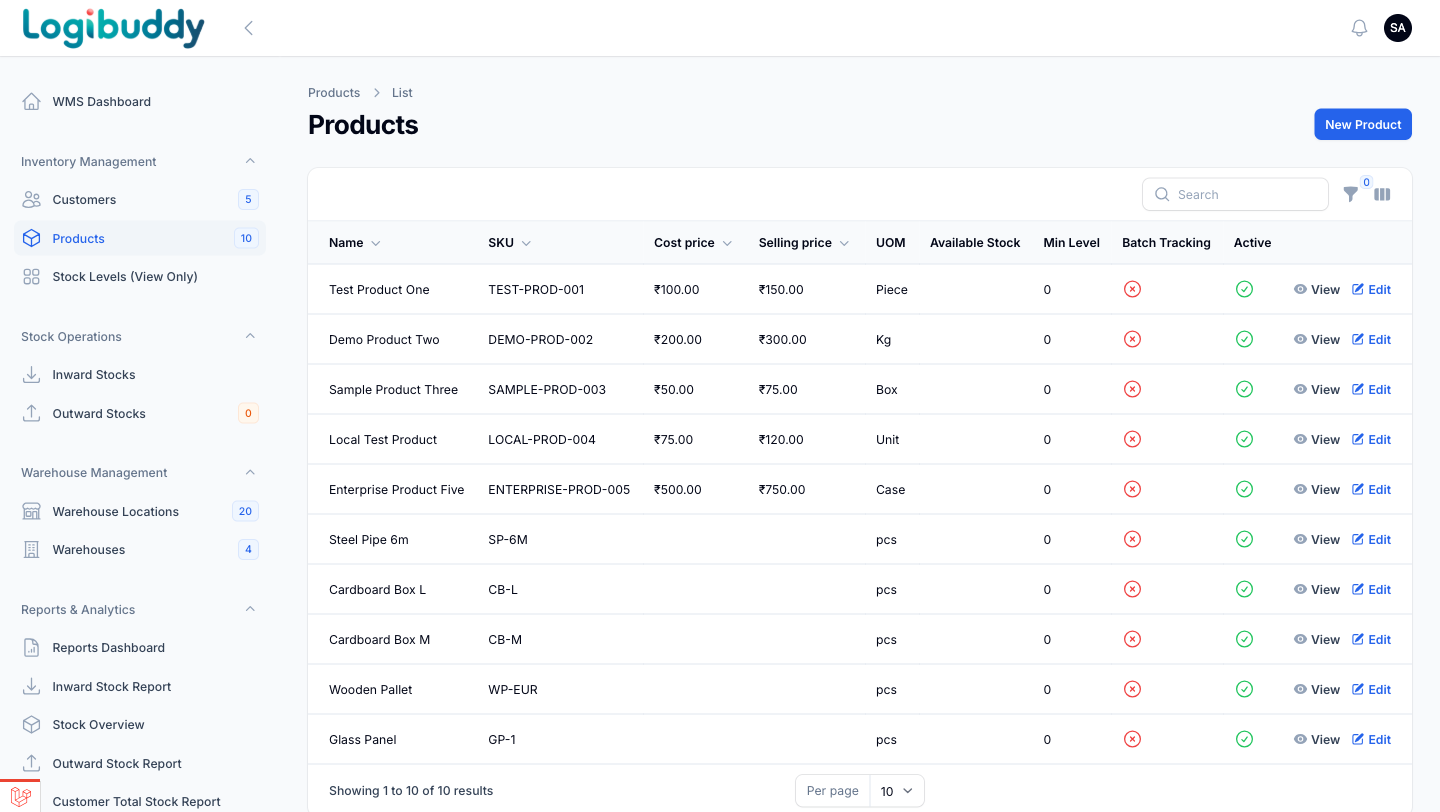
Perishable stock can’t wait on paperwork. Track SKU-level stock and storage, plan the day’s dispatch in one place, and reconcile what shipped — with low-stock and expiry awareness in the warehouse module.
Stock that watches the clock
Know what’s low, and what’s ageing
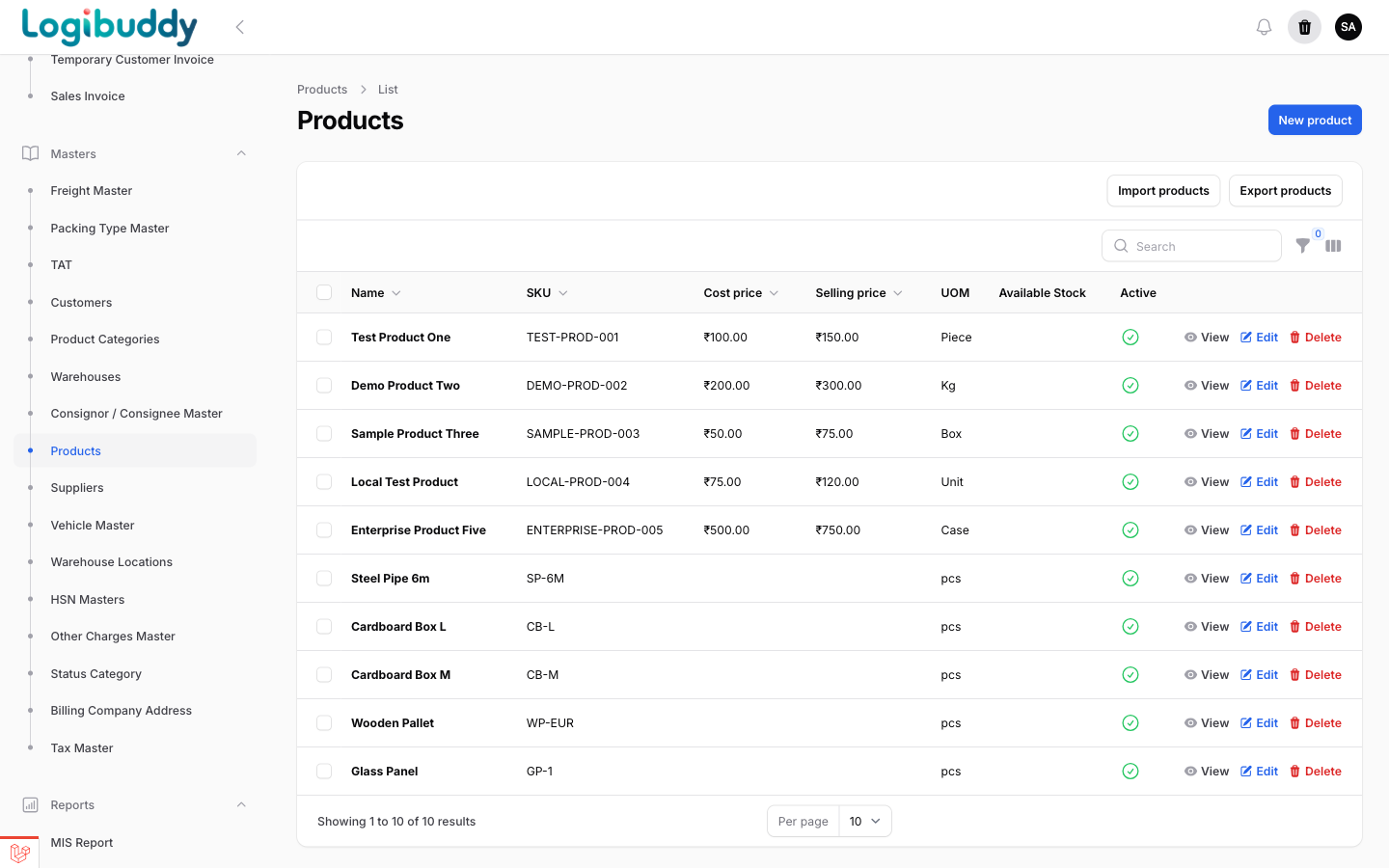
Product masters hold SKU, unit and minimum stock level, and the warehouse dashboard surfaces low-stock and expiry alerts — so you dispatch what needs to move first, instead of finding out at the door.
- SKU-level masters with minimum stock levels
- Low-stock and expiry alerts on the WMS dashboard
- Same masters feed picking and dispatch
The dispatch path
Follow an order, stock to doorstep
The slice of the docket lifecycle a perishables operation lives in — each stage on the real screen.
01 · Book
Before: orders get promised without knowing what stock is close to expiry.
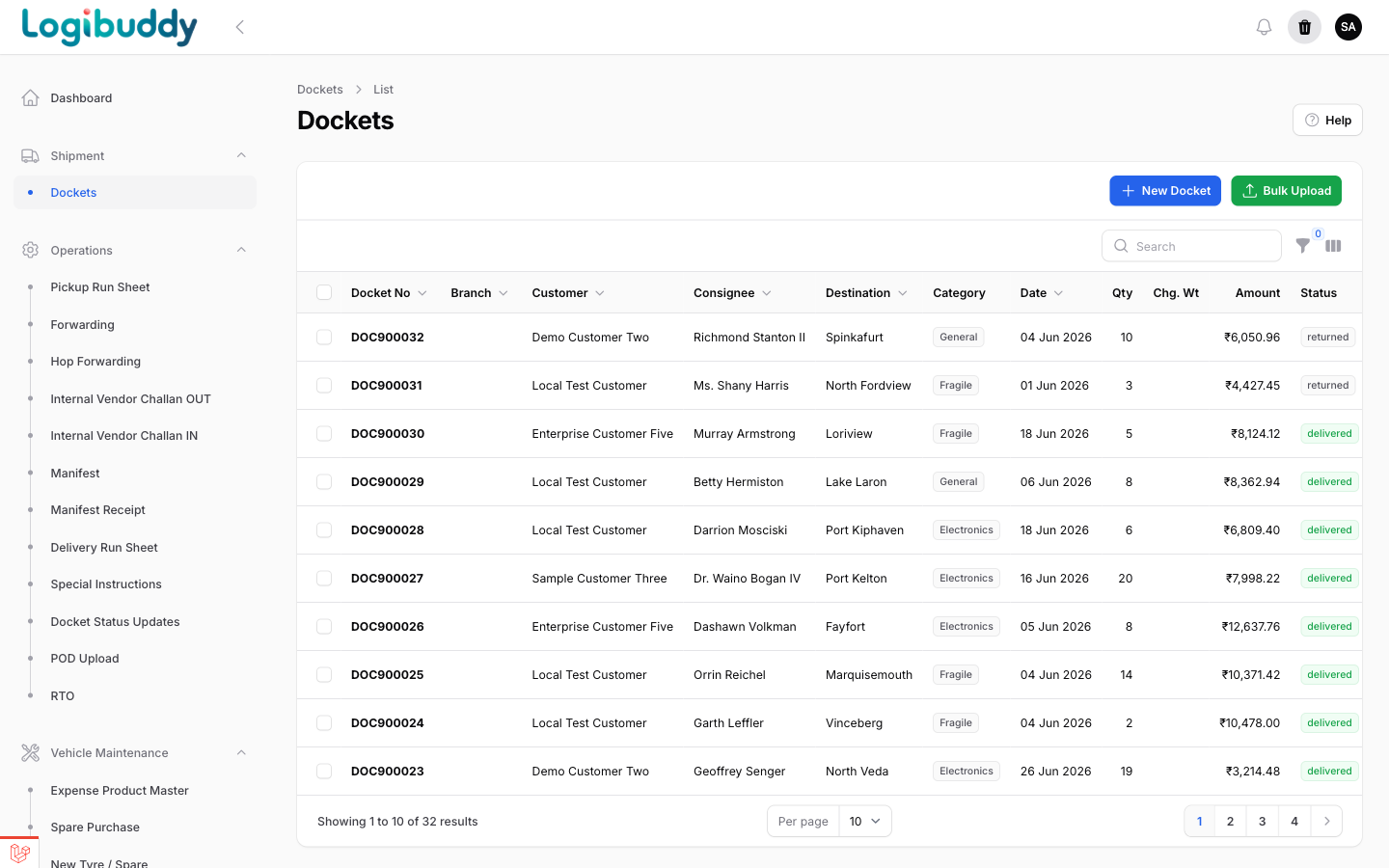
Book the order against fresh stock
- Dockets booked with product, quantity and destination
- Product masters carry SKU, price and unit
- One record from order to dispatch
02 · Dispatch
Before: perishable stock waits on a shelf while someone plans the day’s route by hand.
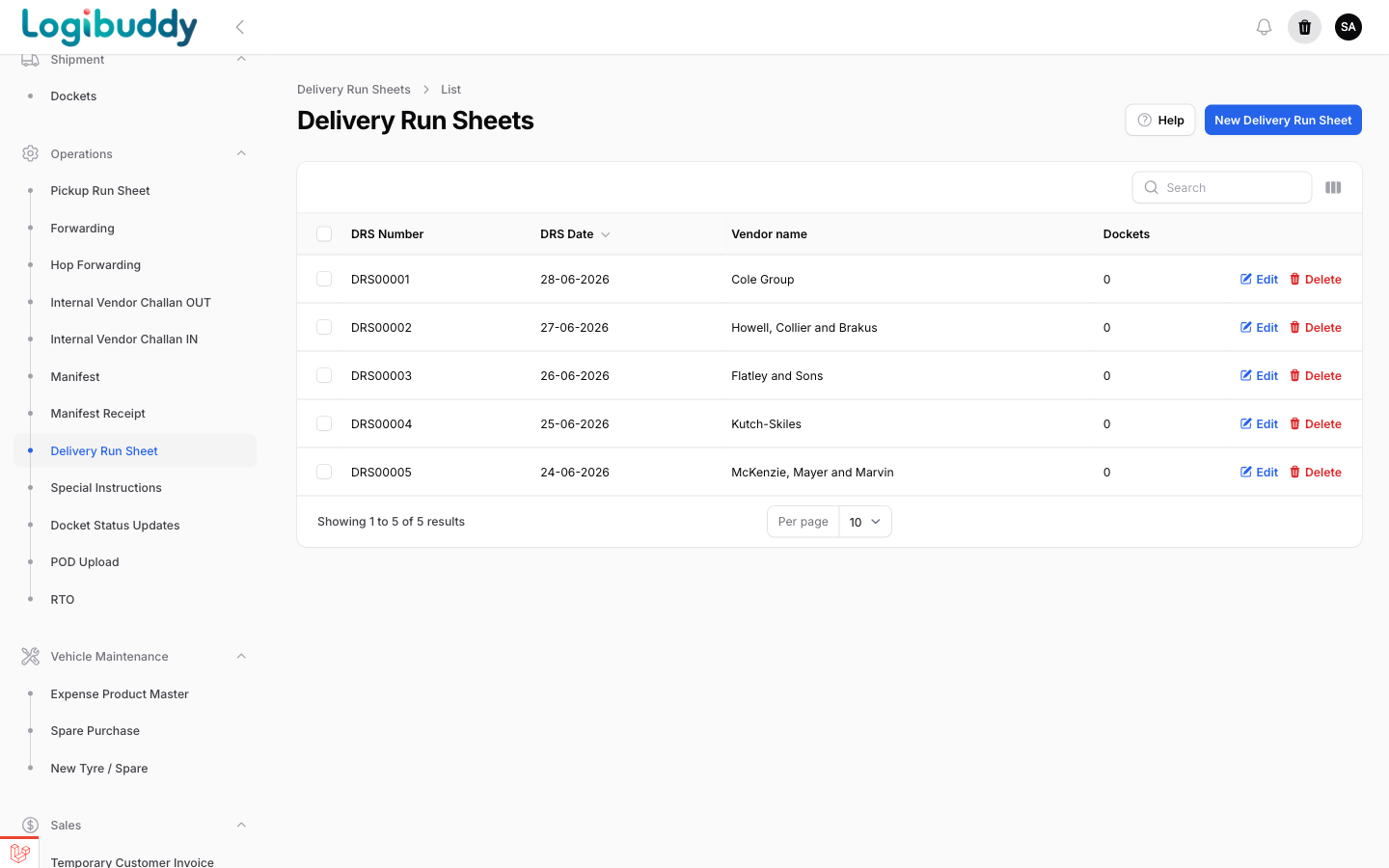
Get it out fast, on a run sheet
- Delivery run sheets by date and vendor
- Orders grouped for the day’s route
- Status moves to out-for-delivery across the batch
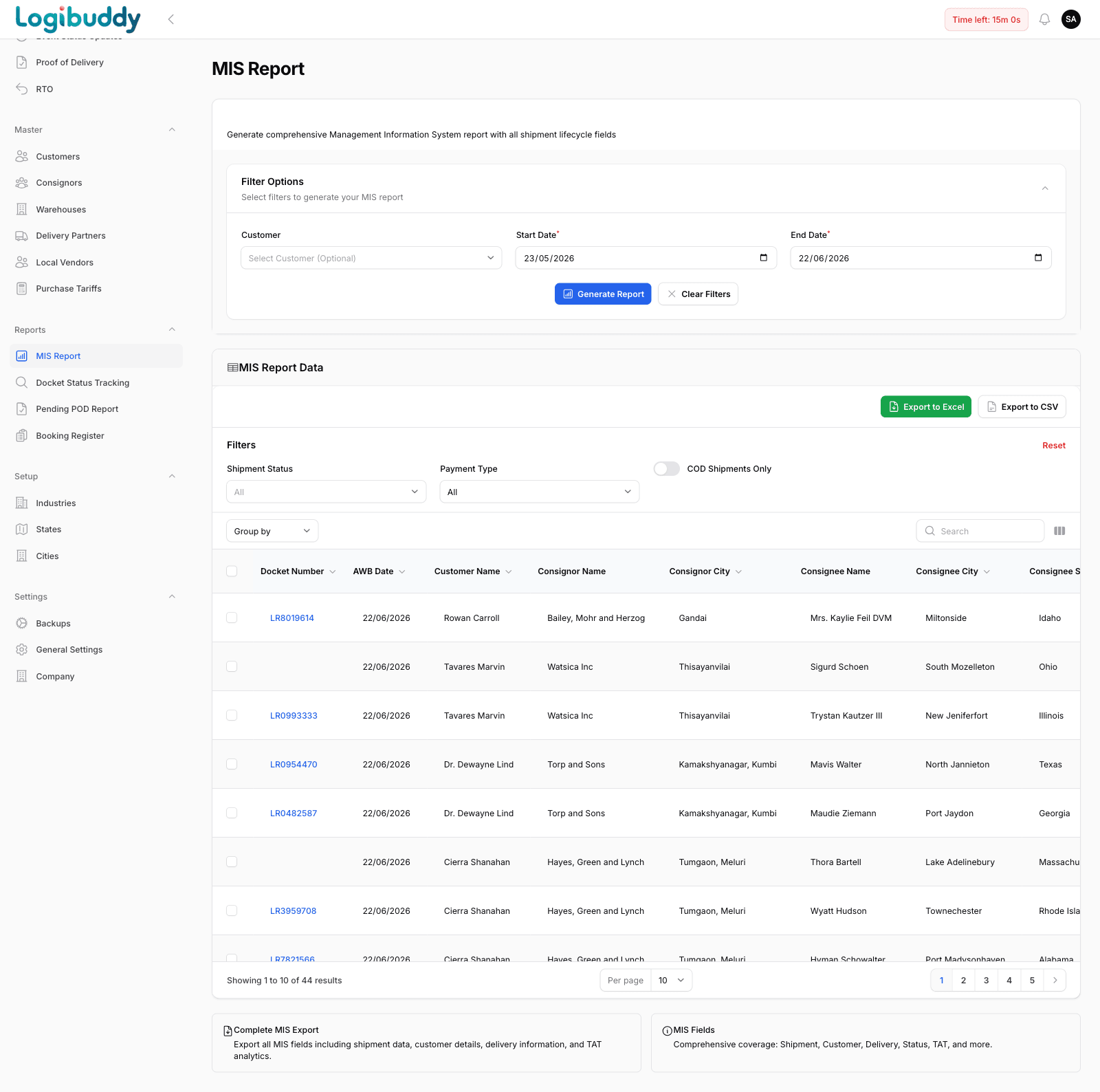
03 · Report
Before: the monthly reconciliation of what shipped and what returned is rebuilt in Excel.
Reconcile dispatch to the books
- MIS with quantity, value and delivery status
- Filter by customer, date or status
- Export to Excel or CSV for finance
More screens
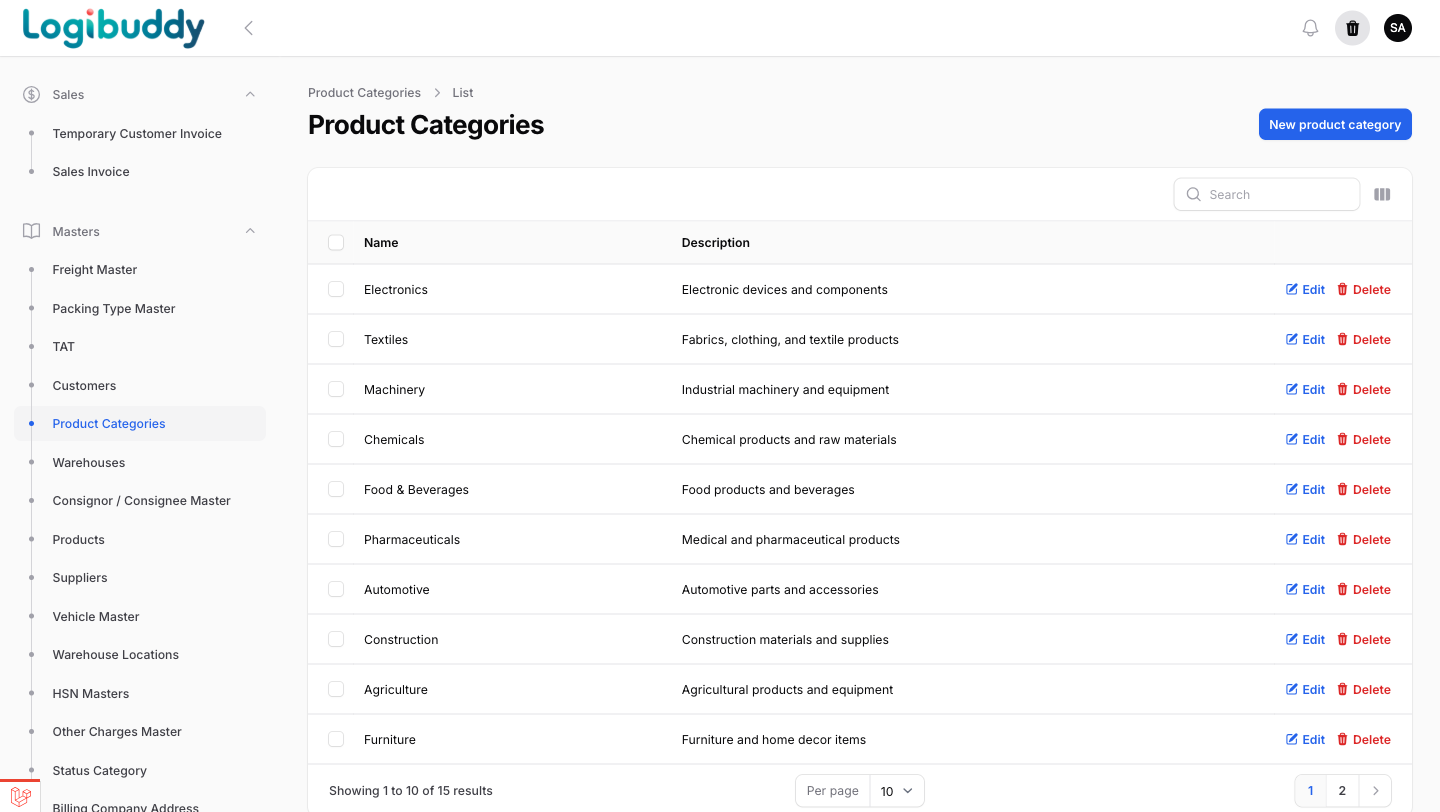
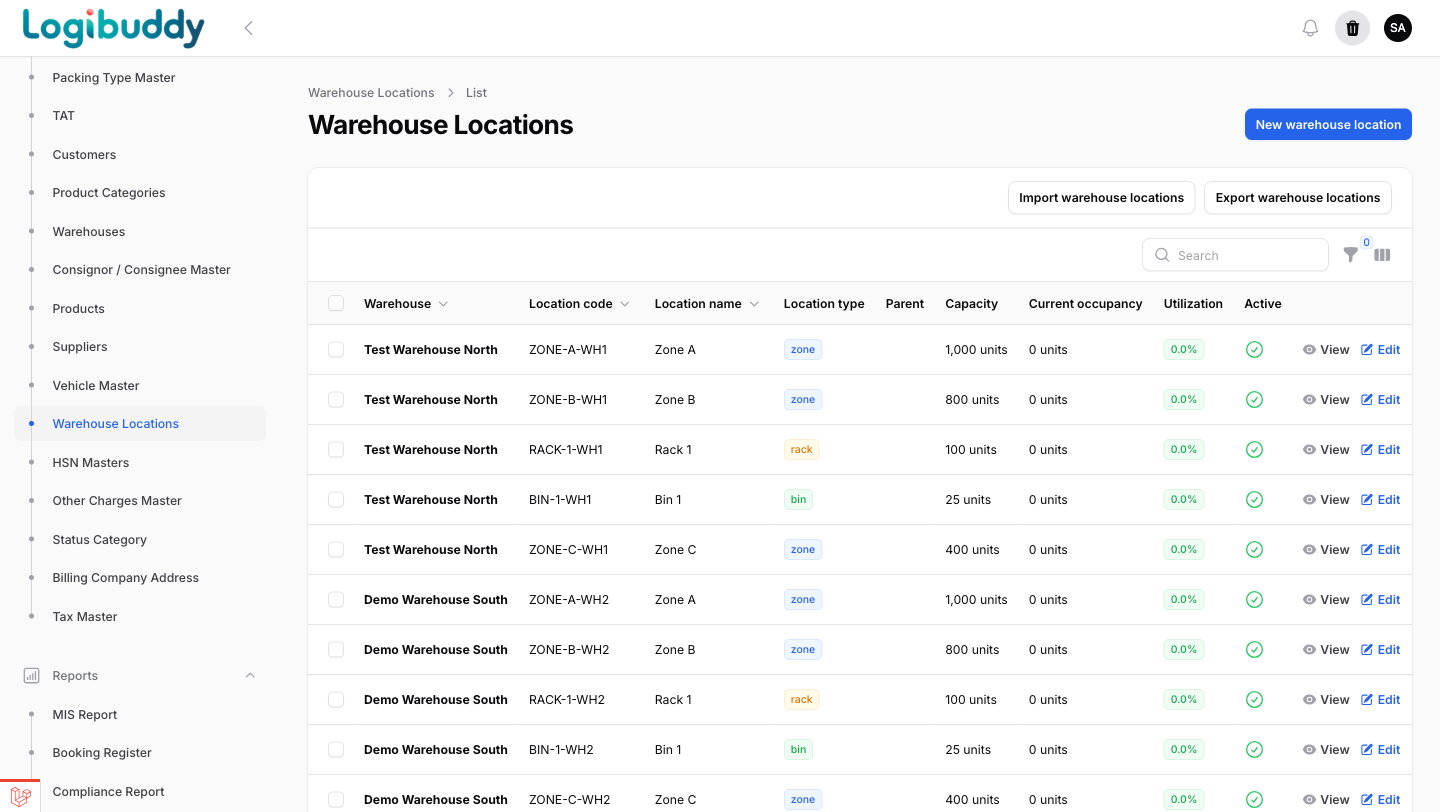
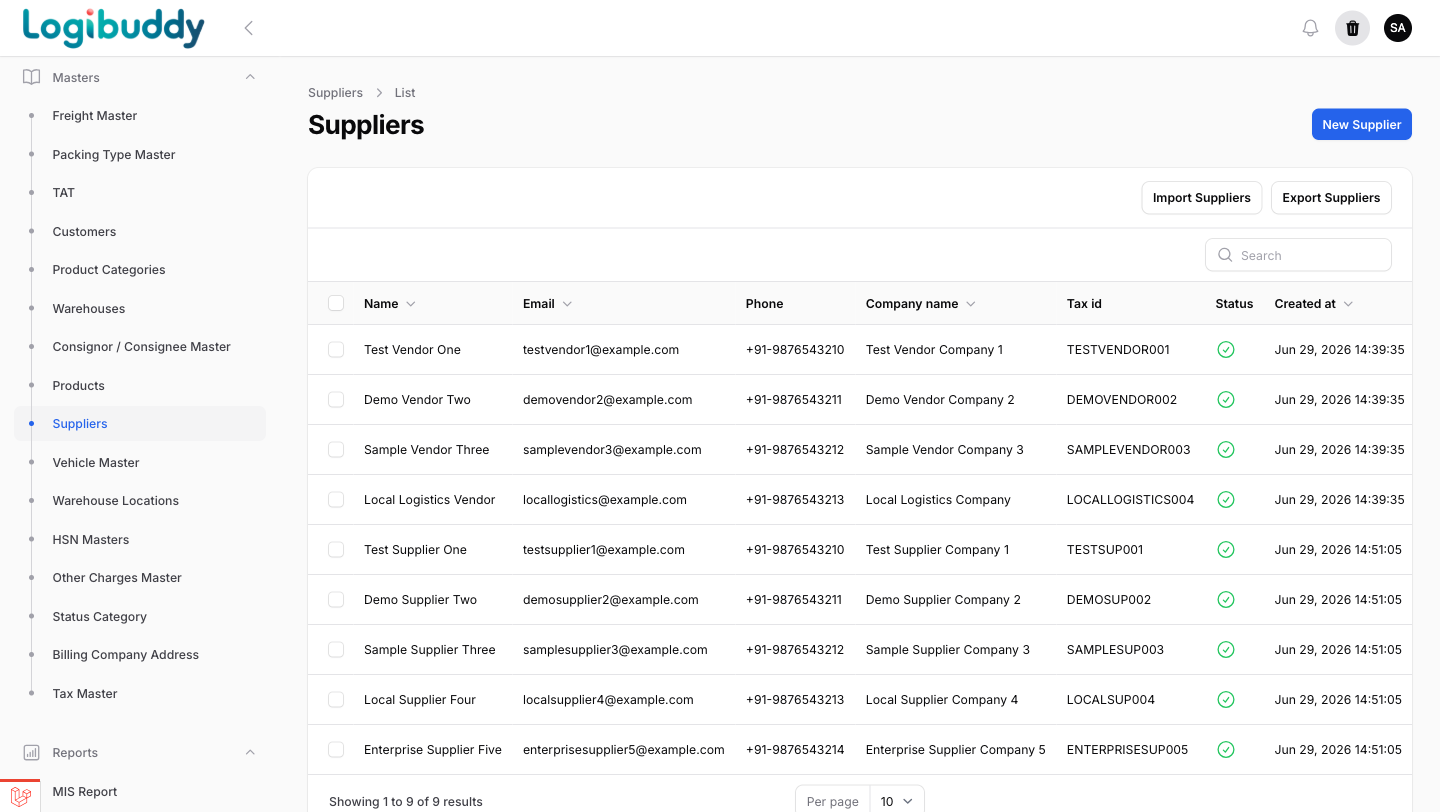
The masters behind fresh dispatch
Categories, storage and suppliers — the working data a food & beverage operation runs on.
Get started
See your whole operation in one control tower
A 30-minute walkthrough on your kind of operation — 3PL, courier, D2C or warehouse.
Free 14-day trial · No credit card · India-ready